
call us 24/7 1-800-738-WE-WIN
call us 24/7 1-800-738-WE-WIN
Serving All of Georgia, Florida, & Texas
Trucking Company Safety Records: How to Find and Read Them

Last Updated: November 4, 2026
Quick Summary
You can obtain trucking company safety records for free through federal FMCSA tools: the SAFER Company Snapshot gives a public summary of inspections, crashes, and operating authority, while authorized company officials can pull the full Company Safety Profile through an FMCSA Portal account. Always confirm the USDOT number matches before relying on any record.
- The SAFER Company Snapshot is free and needs no account or carrier permission.
- Search by USDOT number to avoid name-matching errors from similar company names.
- Save a dated copy because the Snapshot reflects the database at that moment.
- A percentile is a rank within a peer group, not a score out of 100.
- The DataQs system lets carriers request review of data they believe is inaccurate.
Table of Contents
- Where to Search for Trucking Company Safety Records
- Step-by-Step: Pulling a SAFER FMCSA Company Snapshot
- Running an FMCSA DOT Number Status Check
- What an FMCSA Safety Score Does and Does Not Tell You
- Reading CSA Scores and SMS Data Without Being Misled
- Verifying the Record Belongs to the Right Carrier
- When Records Are Wrong, Incomplete, or Concerning
- Building a Due-Diligence Checklist Before You Hire or Partner
- Frequently Asked Questions
Where to Search for Trucking Company Safety Records
Trucking company safety records are the documented history of a motor carrier’s inspections, crashes, and compliance findings. In the United States, most of that history lives in federal databases run by the Federal Motor Carrier Safety Administration. This guide from Merritt & Merritt Law Firm walks you through how to obtain trucking company safety records, read them correctly, and spot the gaps that matter.
There is no single record. There are several, and each answers a different question.
The Three Federal Tools You Will Use
Three free federal tools cover almost every lookup. Each pulls from a different dataset.
- SAFER Company Snapshot – a free public summary of a carrier’s identity, operating authority, and safety data
- FMCSA Portal – the account-based system where authorized company officials pull the full Company Safety Profile
- SMS and CSA data – the scoring system behind the percentiles you will see
According to the FMCSA’s company safety records guidance, authorized company officials can access the Company Safety Profile report at any time through their FMCSA Portal account.
What Each Source Actually Contains
The Snapshot is the front door. It shows registration status, operating authority, insurance on file, and a summary of inspections and crashes.
The Company Safety Profile goes deeper. It holds the detailed inspection and violation history that the public summary only hints at.
Then there are the underlying records themselves. If onboard data disappears entirely, our article on what happens when a truck black box is destroyed explains your legal rights.
Step-by-Step: Pulling a SAFER FMCSA Company Snapshot
The SAFER Company Snapshot is a free, public lookup that returns a carrier’s safety summary in seconds.

Step 1, Open the tool. Go to the SAFER Company Snapshot page at safer.fmcsa.dot.gov/CompanySnapshot.aspx. The SAFER Company Snapshot tool provides free, ad-hoc access to carrier safety data, including inspection histories and crash data.
Step 2, Choose your search type. The page offers three search modes: USDOT number, MC or MX number, and company name. Use the USDOT number whenever you have it. Name searches return every carrier whose name contains your string, and similar names are common. If you only have a name, expect to scan several results and confirm identity in Step 4.
Step 3, Enter the identifier and submit. Type the number without dashes.
Step 6, Read the inspection and crash summary. The Snapshot summarizes inspections and crashes by year.
Step 7, Save a dated copy. Print the page or save it as a PDF with the date visible.
Running an FMCSA DOT Number Status Check
An FMCSA DOT number status check confirms whether a carrier is legally allowed to operate right now.
Start with the USDOT number. Every interstate motor carrier operating commercial vehicles needs one, and it is the most reliable identifier in the system.
Then look at three fields:
- Operating authority status – active, inactive, or revoked
- Insurance on file – whether required coverage is current
- Out-of-service status – whether the carrier has been ordered off the road
A carrier with active authority and current insurance can still have a poor inspection record. A carrier with revoked authority should not be hauling anything at all.
What an FMCSA Safety Score Does and Does Not Tell You
An FMCSA safety score measures compliance performance in specific categories, not a single letter grade for how safe a company is. That distinction matters more than most people realize.
The scoring runs through the Safety Management System, which groups violations into categories called BASICs. Those categories cover unsafe driving, hours of service, driver fitness, controlled substances and alcohol, vehicle maintenance, hazardous materials, and crash indicator. (Source: SAFER Company Snapshot tool)
What the score does tell you:
- How a carrier’s violations compare with peers in the same category
- Where the problems cluster
- Whether a pattern exists across inspections
What it does not tell you:
Schedule a Free Consultation →
- Whether a specific truck is roadworthy today
- Whether the carrier’s record is complete
- How the carrier treats its drivers
A percentile is a comparison, not a verdict. A carrier at the 60th percentile is not “60% unsafe.” It sits above 60% of its peer group in that category.
Reading CSA Scores and SMS Data Without Being Misled
CSA scores and SMS data reward careful reading. The common mistake is treating a percentile as a pass or fail mark. The second is comparing two carriers’ percentiles as if they were measured on the same scale. Neither reading survives contact with how the system actually works.
CSA stands for Compliance, Safety, Accountability. It is the enforcement program. SMS is the Safety Management System that calculates the measures. BASICs are the seven categories those measures are sorted into: unsafe driving, hours of service, driver fitness, controlled substances and alcohol, vehicle maintenance, hazardous materials, and crash indicator.
How a Percentile Is Actually Built
A percentile is a rank within a peer group, not a score out of 100. The peer group is made up of carriers with a similar number of safety events in that BASIC.
The peer group matters because a small carrier with two inspections is compared against other small carriers with similar inspection counts, not against a fleet with thousands of inspections. That is why a percentile built on two inspections is noise and a percentile built on two hundred is a pattern.
Where the Intervention Threshold Sits
The FMCSA sets an intervention threshold for each BASIC. A carrier above the threshold may be prioritized for a warning letter, targeted roadside inspection, or onsite investigation. The threshold is not a legal limit or a finding of unsafe operation, it is a prioritization tool. A carrier can sit above the threshold in one BASIC and below it in the other six.
Three Rules That Keep You From Drawing the Wrong Conclusion
- Compare within the same BASIC. A high percentile in vehicle maintenance says nothing about driver fitness. Read each category on its own.
- Check the inspection count behind the percentile. A percentile built on a thin inspection history is unstable. Ask how many inspections produced the number before you weight it.
- Look at the trend, not the number. A carrier moving from the 80th to the 40th percentile over several measurement periods is fixing something. A carrier moving the other way is not.
What the Data Does Not Tell You
SMS data is a compliance measurement, not a roadworthiness inspection of a specific truck. It does not tell you whether the truck at your dock today has working brakes.
Watch out: a carrier can look strong overall while one BASIC sits well above the intervention threshold. Read every category before you decide, and treat a clean-looking record as a starting point for questions rather than a guarantee of safe operations.
Verifying the Record Belongs to the Right Carrier
Verifying the record is the step most people skip, and it is where quiet errors creep in. Company names repeat across states. Similar names appear with one word changed.
Confirm these four items match what you were given:
- Legal name and DBA – the operating name may differ from the registered entity
- USDOT number – the single most reliable match
- Physical address – city and state should line up
- MC number – the operating authority identifier
If the name matches but the USDOT number does not, you have the wrong carrier. Start over with the number.
There is a second layer to this. Some critics note that federal systems may miss specific state-level data, such as records maintained by the Texas Department of Motor Vehicles, according to Reyes Browne Reilley on federal record gaps.
When Records Are Wrong, Incomplete, or Concerning
Records can be wrong, and carriers have a formal path to challenge them. The DataQs system lets a carrier request a review of data it believes is inaccurate. That process is legitimate, and it also means a record can change after you check it.
If you find an error as a member of the public, you generally cannot correct it yourself. You can document it and raise it with the carrier or the agency.
If the record shows something worse than an error, such as falsified logs or hours-of-service violations, that is a different matter. If you were hurt by a fatigued trucker, a Texas logbook violation truck accident lawyer can examine those records and challenge how they were kept. Readers who uncover a concerning record after a collision can also reach an Atlanta truck accident lawyer who can act on it quickly.
Building a Due-Diligence Checklist Before You Hire or Partner
A due-diligence checklist turns a scattered search into a repeatable process. Use this one before you sign a contract or load a trailer.
- Pull the SAFER Company Snapshot and save it with the date
- Confirm USDOT number, legal name, and address all match
- Verify operating authority is active
- Confirm insurance filings are current
Step | What You Check | Why It Matters |
|---|---|---|
1 | SAFER Snapshot | Baseline identity and safety summary |
2 | USDOT and name match | Confirms you have the right carrier |
3 | Operating authority | Confirms legal operation |
4 | Insurance filings | Confirms coverage is active |
5 | Inspection history | Shows compliance pattern |
6 | Crash history | Shows real-world outcomes |
7 | BASIC percentiles | Shows where problems cluster |
8 | State records | Fills federal gaps |
If due diligence fails and a collision happens anyway, the practical steps matter immediately. Our guide to steps after a commercial truck collision covers what to preserve and who to contact. For ongoing guidance on crash documentation and evidence, the Georgia Accident Report blog is a useful reference.
Frequently Asked Questions
How can I check a trucking company’s safety record?
Start with the free SAFER Company Snapshot, searchable by USDOT, MC, or MX number. It shows operating status, inspection and crash counts, and out-of-service rates. For deeper detail, authorized officials can pull a Company Safety Profile through an FMCSA Portal account. Recent history is often available, though federal systems can miss some state-level data. Keep in mind federal systems can miss some state-level data.
How long do trucking companies have to keep inspection and repair records?
Retention periods for inspection and repair records are set by federal rules, and that window matters when you are reconstructing what happened before a crash. Check the official regulations for the exact periods that apply. A carrier that cannot produce them has a recordkeeping problem worth noting in your case file.
Can I check my own CSA score?
Motor carriers can view their Safety Management System data, including BASIC percentiles, through an FMCSA Portal account. There is no public free portal for anyone to browse arbitrary CSA scores, though some third-party sites republish portions of the data. If you are a carrier, log in to review your percentiles and file a DataQs challenge if something is inaccurate. If you are a crash victim, ask an attorney to help interpret what the public data shows.
What should I do if a carrier’s record looks incomplete or wrong?
Federal databases may miss state-level records, and the SAFER snapshot is a point-in-time view. Note the date you pulled the record, save a copy, and cross-check the carrier’s registration and insurance filings. If you believe data is inaccurate, carriers can file a DataQs challenge. For a crash claim, an attorney can request the underlying inspection and maintenance files directly rather than relying on the public summary.
Records tell you what a carrier has done. They cannot undo what a truck did to you. If a safety record you uncovered points to fatigue, falsified logs, or a pattern of violations, that evidence has a limited shelf life. At Merritt & Merritt Law Firm, we offer a free case evaluation, 24-hour availability, and the option to meet at your home, office, or hospital. You pay only if we win. Get started with Merritt & Merritt Law Firm and put that record to work for your claim.

Our Locations

Atlanta/Decatur
1 West Court Square
Suite 750
Decatur, GA 30030

Savannah
100 Bull Street
Suite 200
Savannah, GA 31401
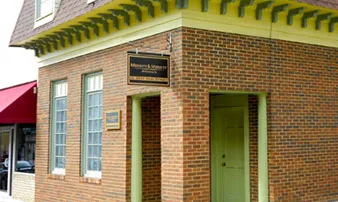
Statesboro
15 West Main Street
Statesboro, GA 30458

Houston
1415 Louisiana Street,
Suite 1800,
Houston, TX 77002

Jacksonville
841 Prudential Drive
12th Floor
Jacksonville, FL 32207

Contact Us
© Copyright 2026 Merritt & Merritt Law Firm. All rights reserved.